Article
Video Workouts: Guided Training That Actually Works
Most indoor cycling videos are either entertaining but unstructured, or structured but boring.
What if you could have both: engaging video content with real workout structure that adapts to your fitness level?
That is what VeloWorkout's new Video Workouts feature delivers.
The problem with most video workouts
Traditional indoor cycling videos fall into two camps:
- Entertainment-first videos — fun to watch, but no structure. You ride along without clear intensity targets or progression.
- Structured apps — precise workouts, but often feel like staring at numbers on a screen.
Neither approach gives you the engagement of video with the precision of structured training.
What Video Workouts actually do
Video Workouts combine:
- Guided video content (YouTube, Vimeo, or custom videos)
- Real workout structure with power targets, intervals, and rest periods
- Smart trainer control that adjusts resistance automatically
- Live data tracking (power, heart rate, cadence) overlaid on the workout graph
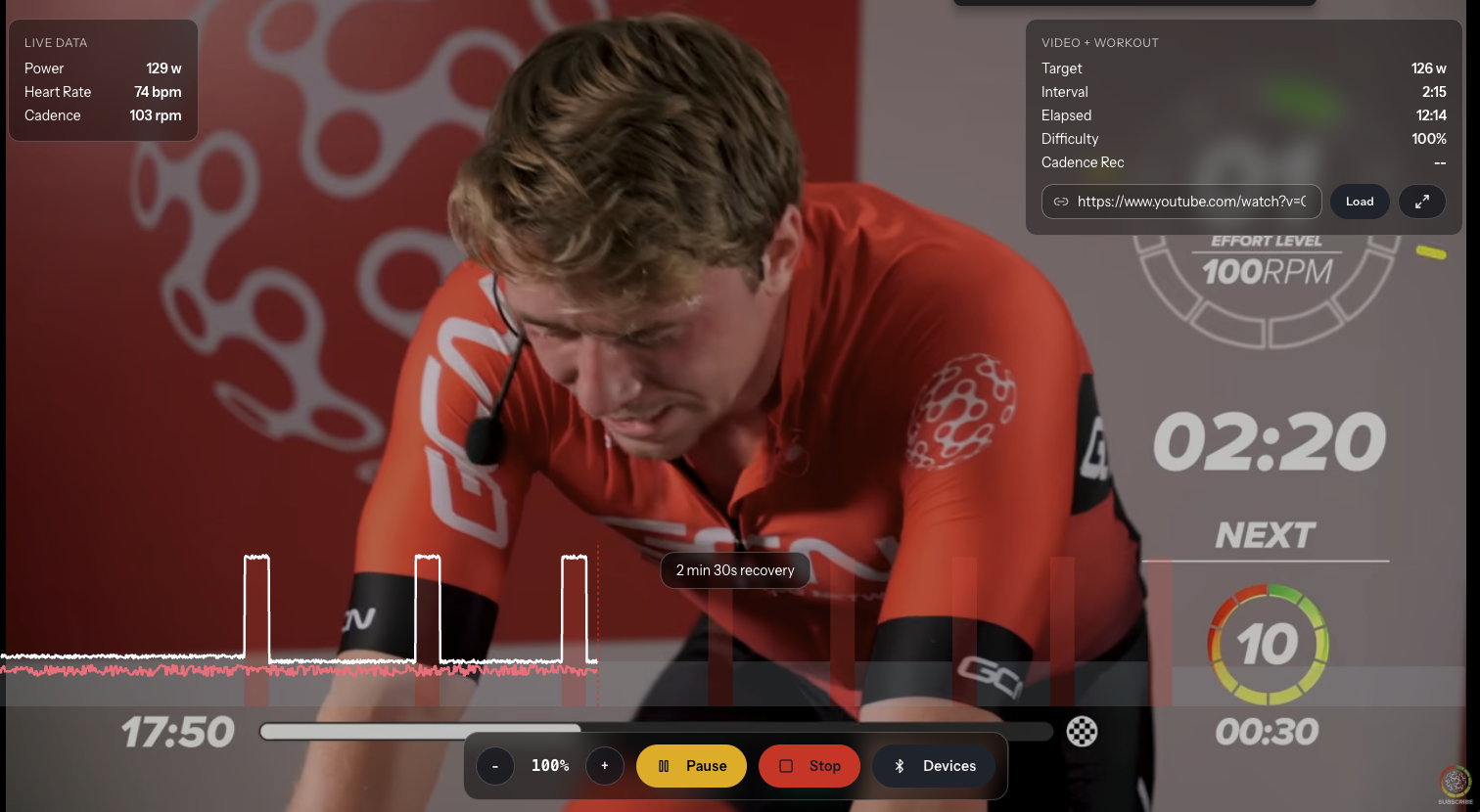
You ride along with the video while your trainer follows the workout plan. The video keeps you engaged; the structure keeps you progressing.
How it works
Step 1: Choose your video workout
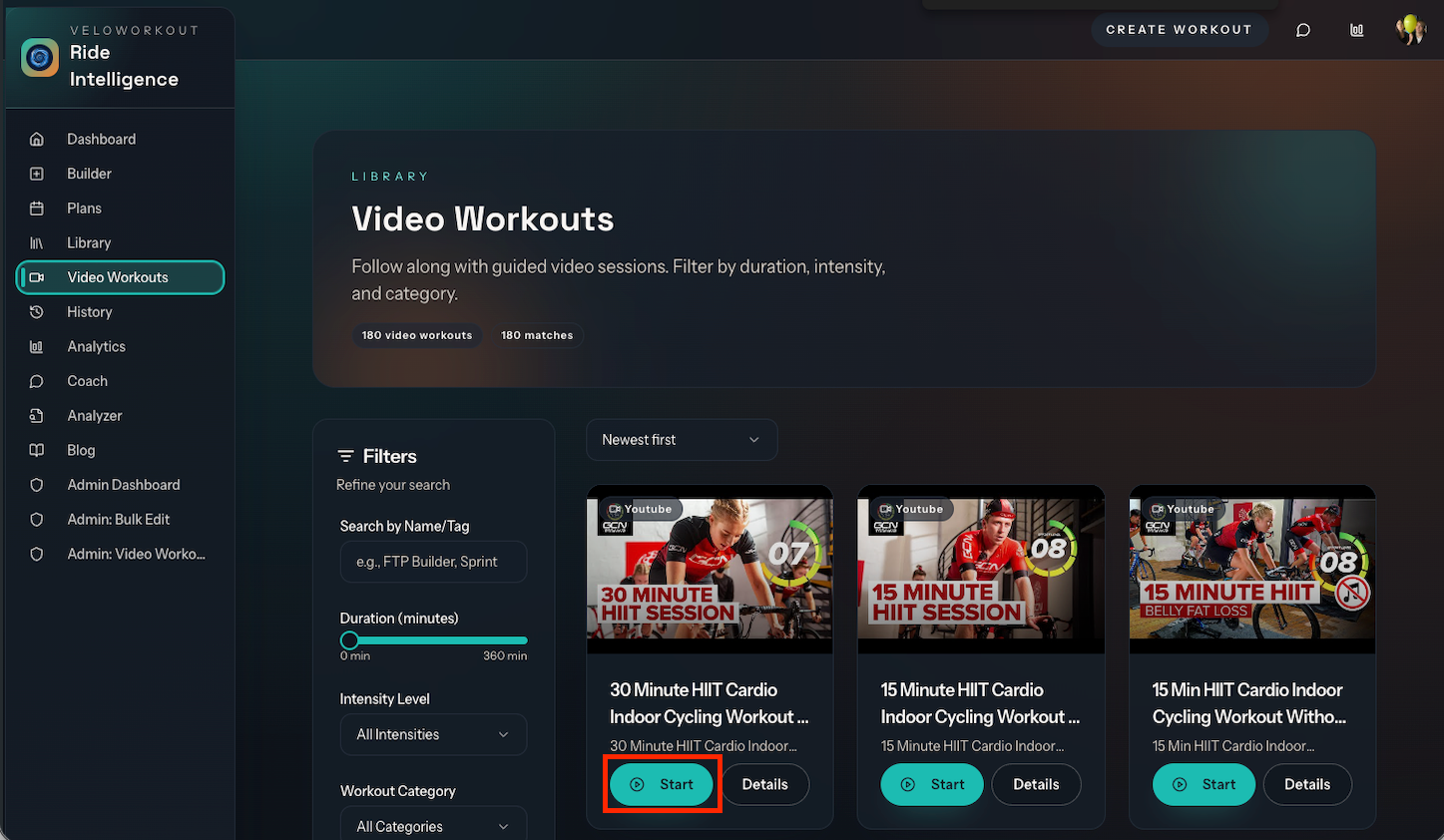
Browse the Video Workouts library and pick a session that matches your goals and available time.
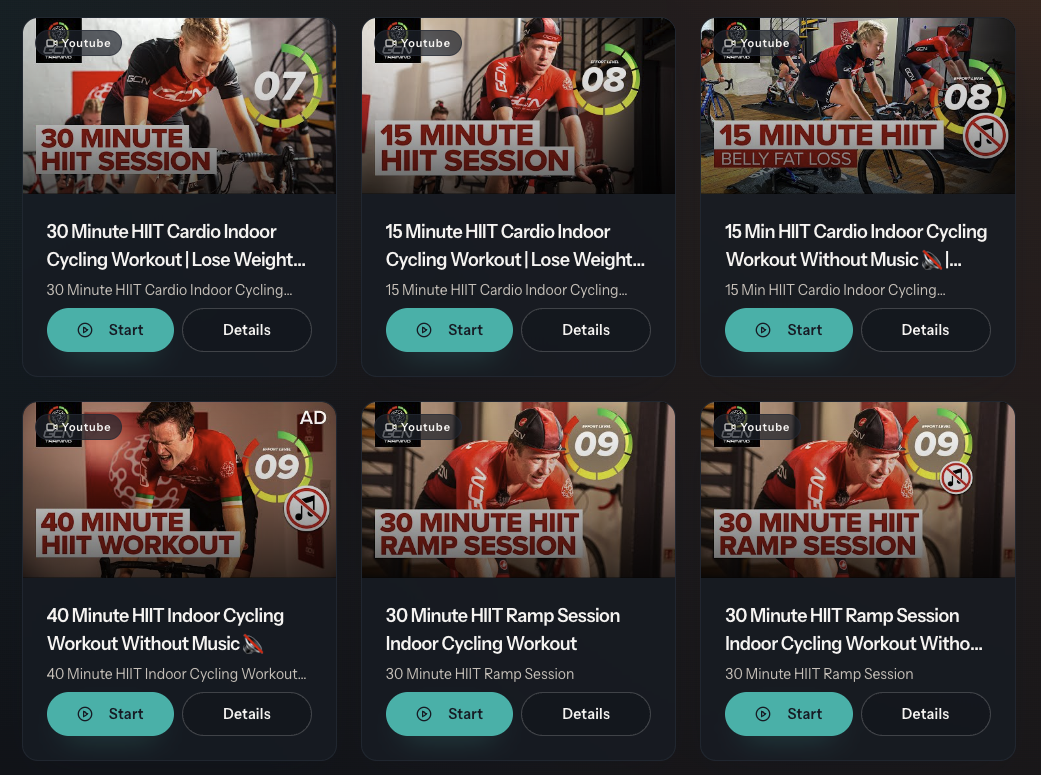
Each video workout includes:
- the video content
- a structured workout plan (intervals, power targets, duration)
- estimated difficulty and training focus
Step 2: Start with synchronized timing
When you begin, the video starts immediately. The workout timer waits a few seconds (usually 3-5) to sync with the video's intro, then begins tracking your intervals.
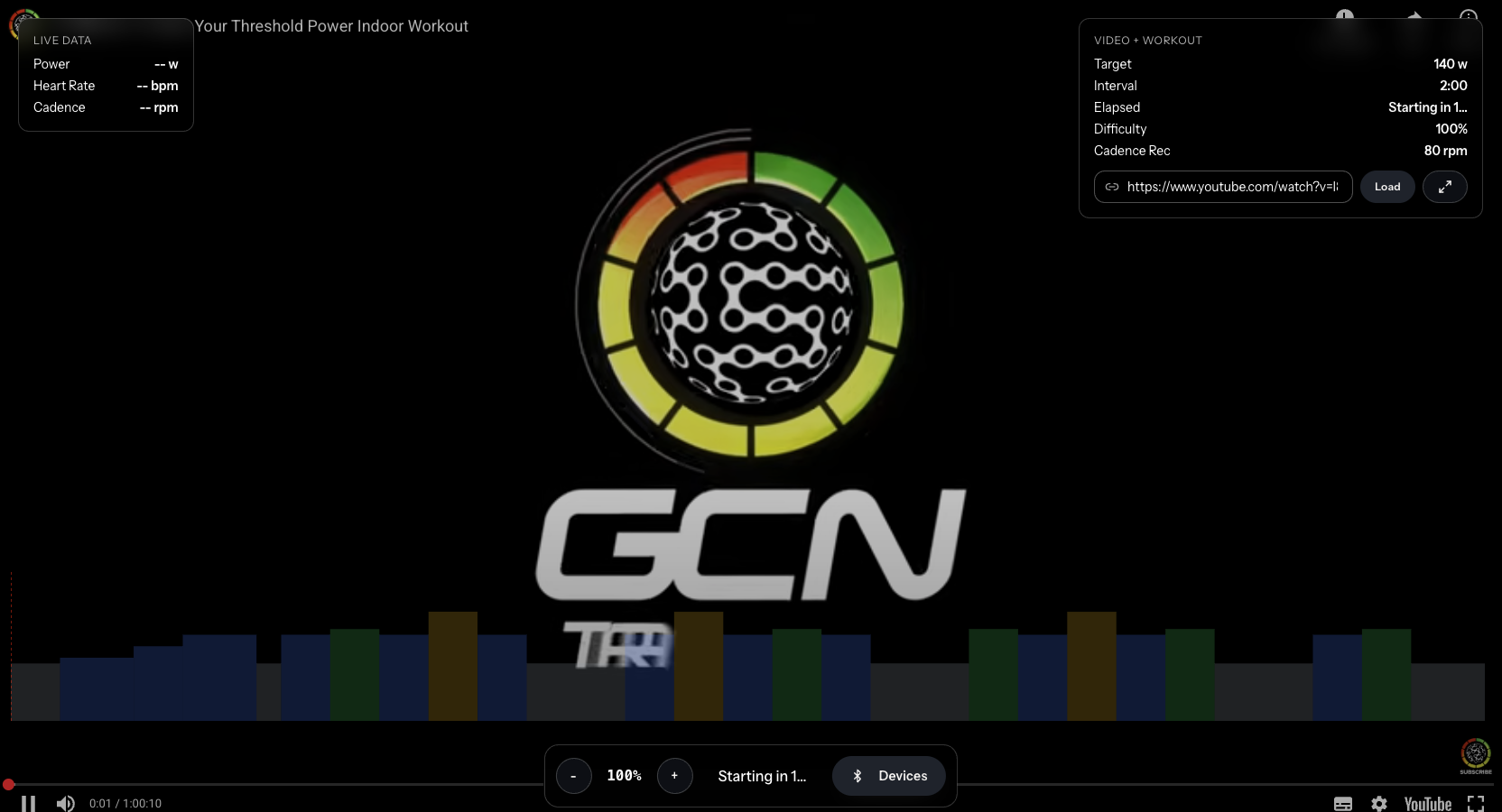
This synchronization ensures the workout segments align with what is happening in the video.
Step 3: Ride with live feedback
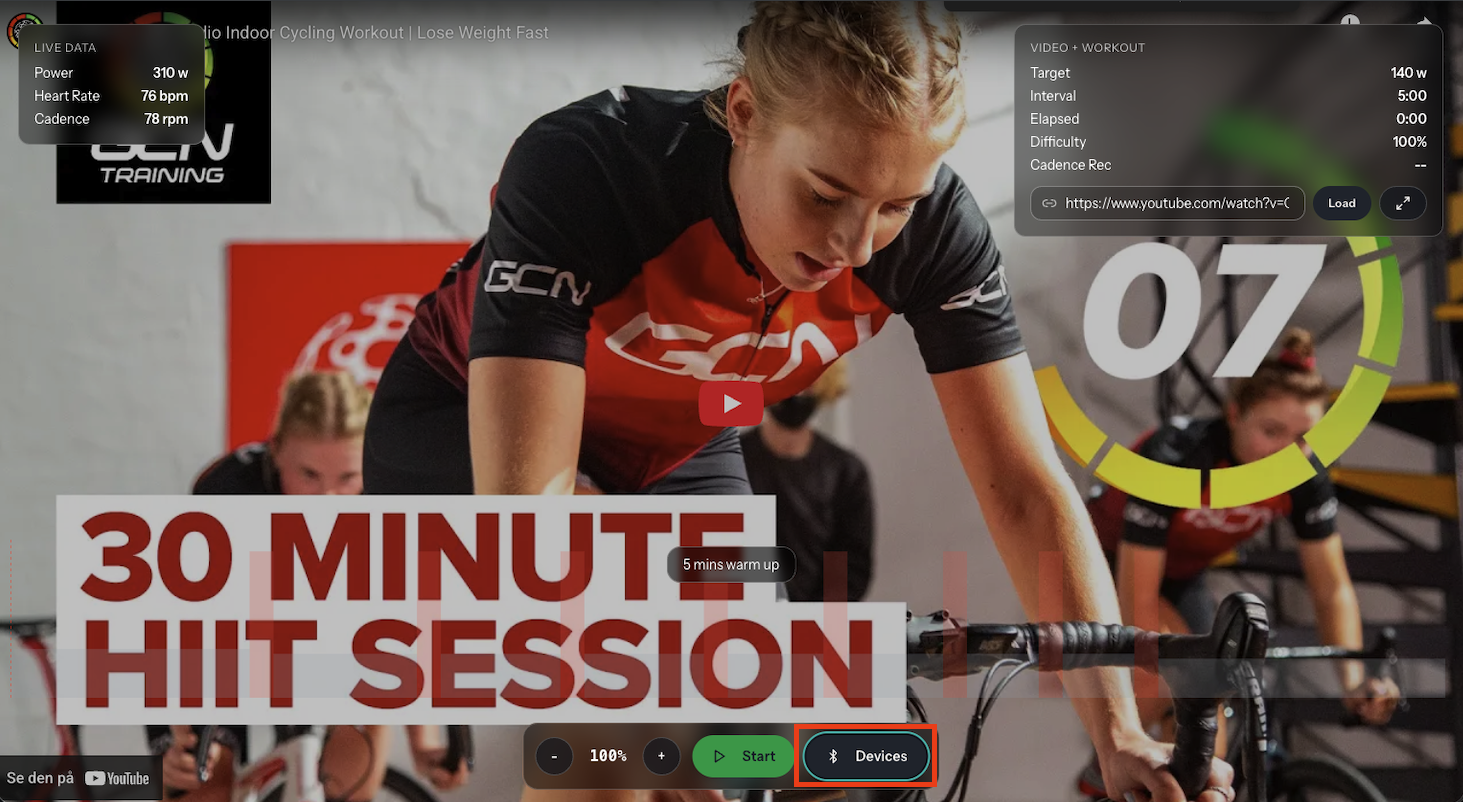
During the workout, you see:
- The video playing full-screen
- Workout graph at the bottom showing upcoming segments
- Live power and heart rate overlaid on the graph
- Current segment details (target power, duration, instruction)
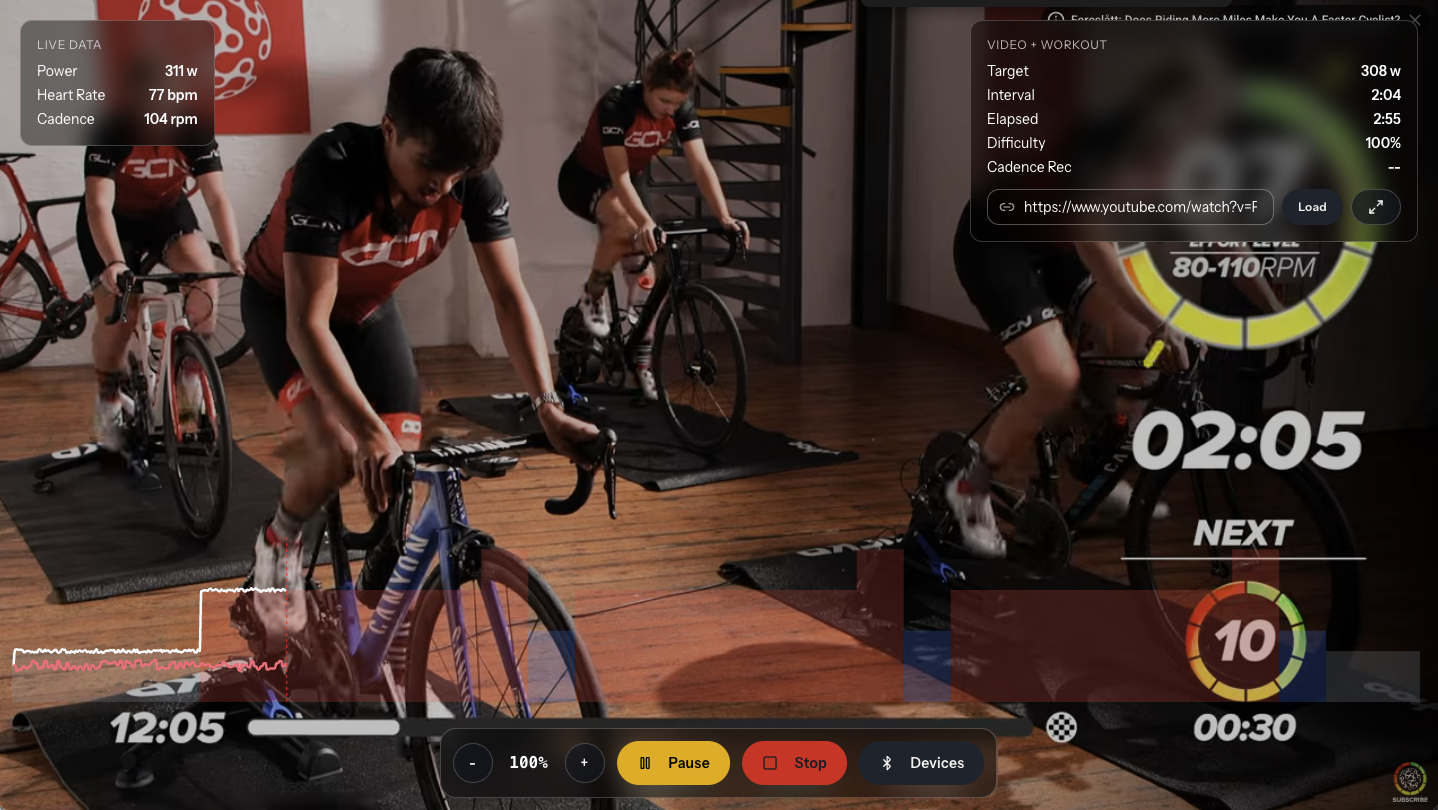
Your smart trainer automatically adjusts resistance to match the target power for each segment. No guessing effort levels.
Step 4: Track and save
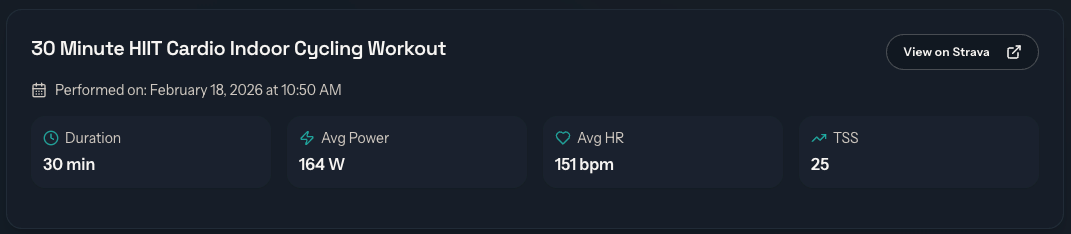
After finishing, your workout data is saved automatically:
- power and heart rate averages
- segment-by-segment performance
- total energy (kilojoules)
- optional Strava upload
Why this matters for your training
1. Consistency through engagement
Video content keeps indoor sessions from feeling monotonous. When workouts are more engaging, you are more likely to complete them consistently.
2. Structure without the mental load
You do not need to memorize intervals or watch a timer. The workout structure runs automatically while you focus on the video and your effort.
3. Progressive overload made easy
Each video workout has clear intensity targets. As your fitness improves, you can increase difficulty or move to more challenging sessions while keeping the same engaging format.
4. Real data, not just entertainment
Unlike passive video watching, Video Workouts record actual training data. You can track progress, analyze performance, and adjust your plan based on real metrics.
Best practices for video workouts
Match intensity to your goals
- Recovery days: Choose lower-intensity video workouts with steady efforts
- Quality sessions: Pick interval-focused videos with clear work/rest periods
- Endurance: Select longer videos with sustained moderate efforts
Use the delay feature wisely
The workout delay syncs the timer with the video. If a video has a long intro, adjust the delay so intervals start when the actual riding begins.
Connect your devices
For the best experience:
- connect your smart trainer for automatic resistance control
- pair a heart rate monitor to track effort and recovery
- use both for complete data capture
Review your data
After each session, check your analytics:
- did you hit the target power zones?
- how did heart rate respond?
- was the session too easy or too hard?
Use this feedback to choose the right difficulty for next time.
Common questions
Can I use any video?
Video Workouts work with YouTube and Vimeo videos. The VeloWorkout team curates workouts and pairs them with structured training plans, but you can also create custom video workouts if you are an premium member.
What if I do not have a smart trainer?
You can still do video workouts using power targets as guidance. Connect a power meter or heart rate monitor to track effort, and manually adjust your trainer or bike resistance.
Do video workouts count toward my training plan?
Yes. Video workouts are saved as performed workouts and appear in your analytics, training load calculations, and weekly summaries just like regular structured sessions.
Can I pause and resume?
Yes. Video workouts support pause/resume just like regular workouts. Your progress is saved, and you can pick up where you left off.
Getting started
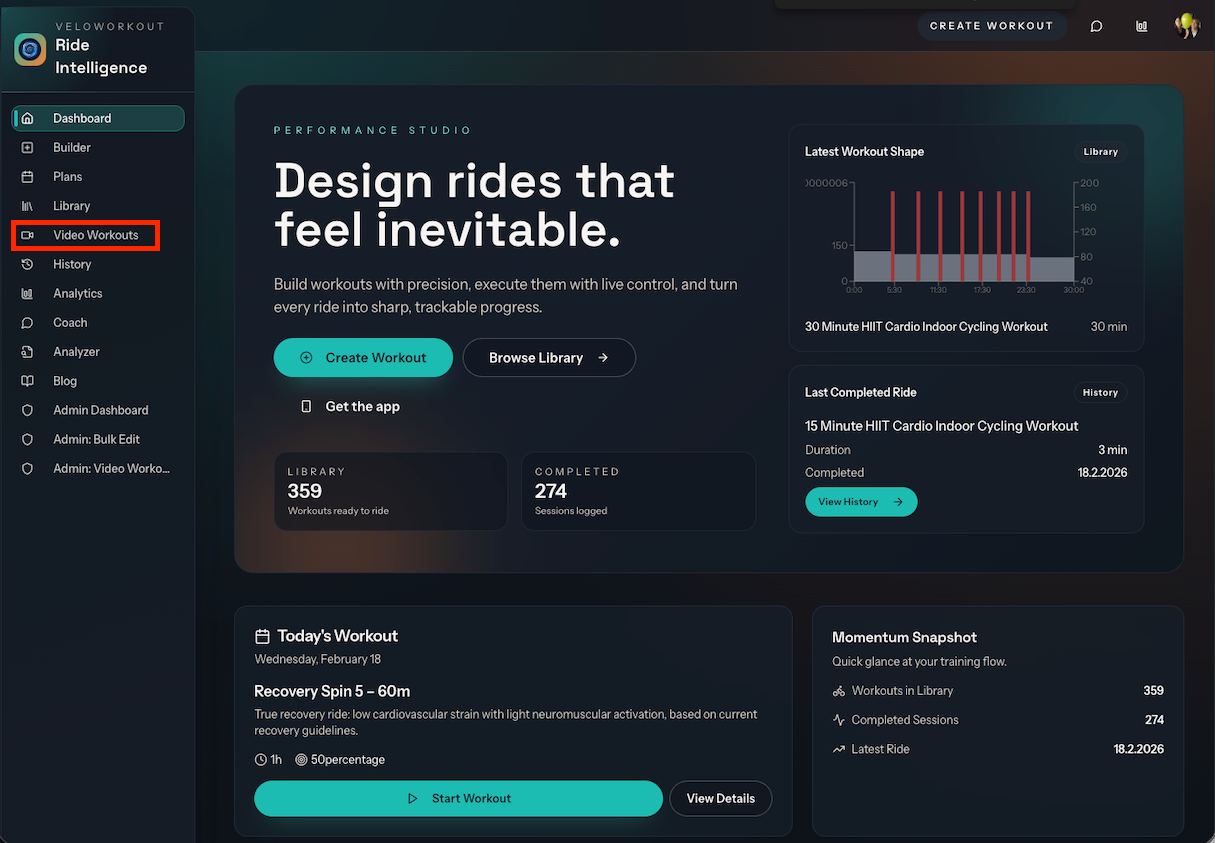
- Open VeloWorkout and go to Video Workouts
- Browse available sessions and pick one that matches your time and goals
- Connect your smart trainer and heart rate monitor
- Start the workout and let the video guide you while the structure keeps you on target
Final thought
Indoor training does not have to mean choosing between engagement and structure.
Video Workouts give you both: the motivation of guided video content and the precision of structured training. Ride along with the video while your trainer handles the intensity targets, and finish with real data that shows your progress.
Try your first video workout this week and see how structured training can feel more engaging.
Turn your training plan into actual progress
Build workouts, execute with smart trainer support, and track performance with data that matters.
Open VeloWorkout